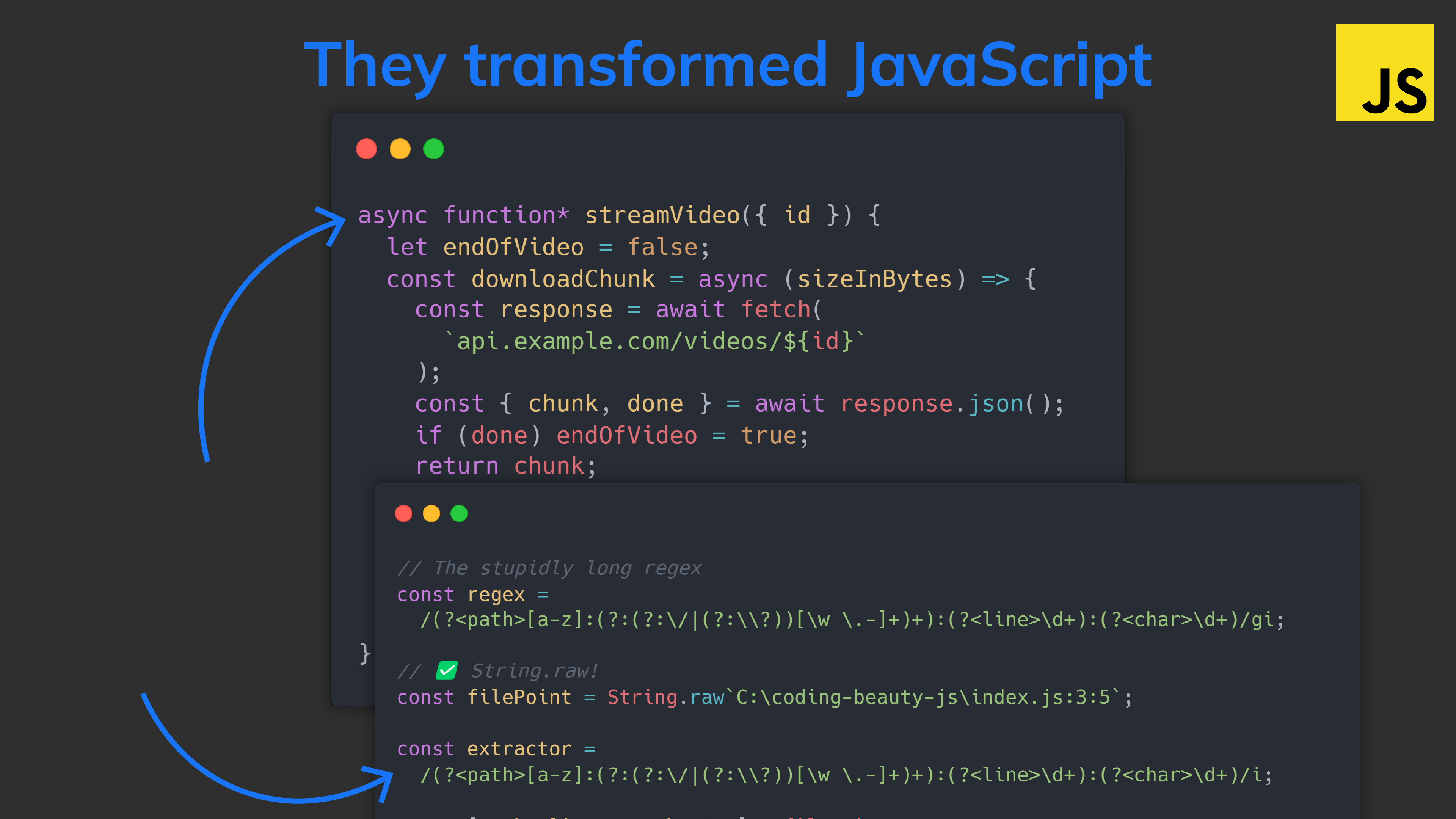
It’s such a powerful tool for streaming data in web app in a structured + readable manner — just look at this function that buffers and streams data for a video-sharing app like YouTube:
That’s how you remove properties from an object immutably.
3. String.raw
When I use String.raw I’m saying: Just give me what I give you. Don’t process anything.
Leave those escape characters alone:
JavaScriptCopied!
// For some weird reason you can use it without brackets
// like this 👇

const message = String.raw`\n is for newline and \t is for tab`;
console.log(message); // \n is for newline and \t is for tab
No more escaping backslashes:
JavaScriptCopied!
const filePath = 'C:\\Code\\JavaScript\\tests\\index.js';

console.log(`The file path is ${filePath}`);

// The file path is C:\Code\JavaScript\tests\index.js
We can write:
JavaScriptCopied!
const filePath = String.raw`C:\Code\JavaScript\tests\index.js`;

console.log(`The file path is ${filePath}`);

// The file path is C:\Code\JavaScript\tests\index.js
Perfect for writing regexes with a stupid amount of these backslashes:
Something like this but much worse:
From this✅:
JavaScriptCopied!
const patternString = 'The (\\w+) is (\\d+)';
const pattern = new RegExp(patternString);

const message = 'The number is 100';
console.log(pattern.exec(message));
// ['The number is 100', 'number', '100']
To this✅:
JavaScriptCopied!
const patternString = String.raw`The (\w+) is (\d+)`;
const pattern = new RegExp(patternString);

const message = 'The number is 100';
console.log(pattern.exec(message));
// ['The number is 100', 'number', '100']
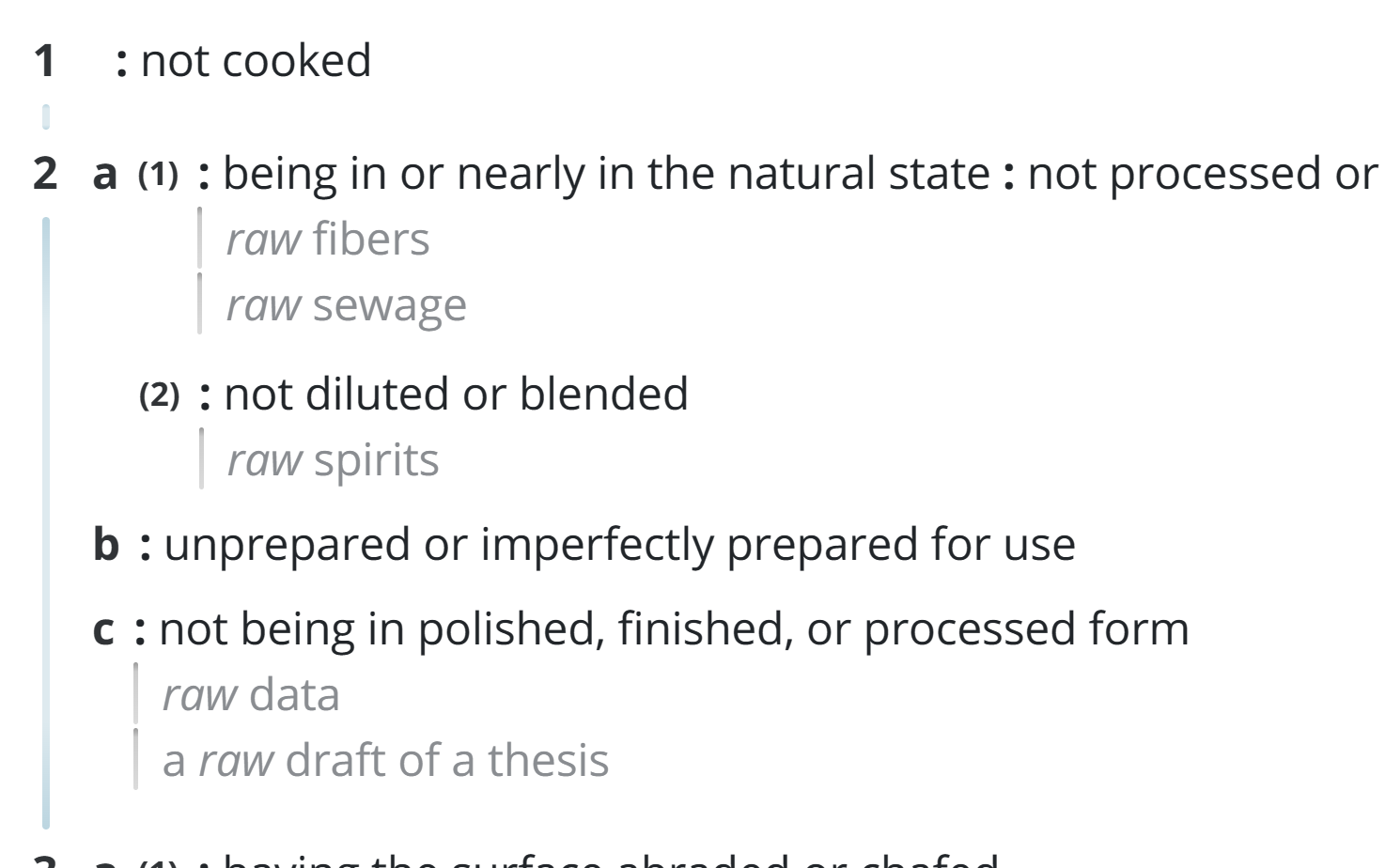
So “raw” as in unprocessed.
That’s why we have String.raw() but no String.cooked().
4. Sophisticated regex features
And speaking of regexes ES9 didn’t disappoint.
It came fully loaded with state-of-the-art regex features for advanced string searching and replacing.
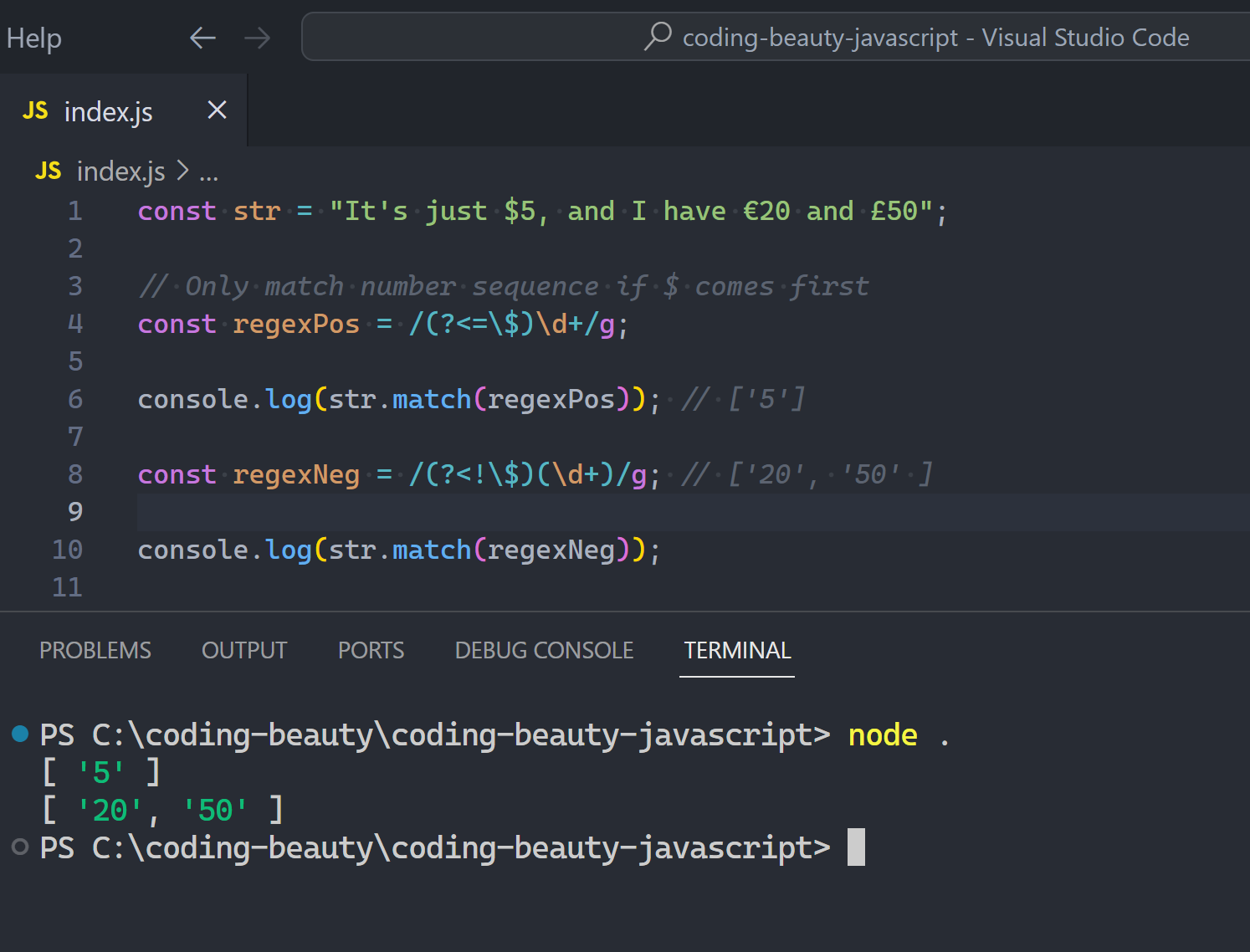
Look-behind assertions
This was a new feature to make sure that only a certain pattern comes before what you’re searching for:
Positive look-behind: Whitelist ?<=pattern
Negative look-behind: Blacklist ?<!pattern
JavaScriptCopied!
const str = "It's just $5, and I have €20 and £50";

// Only match number sequence if $ comes first
const regexPos = /(?<=\$)\d+/g;

console.log(str.match(regexPos)); // ['5']

const regexNeg = /(?<!\$)(\d+)/g; // ['20', '50' ]

console.log(str.match(regexNeg));
Named capture groups
Capture groups has always been one of the most invaluable regex features for transforming strings in complex ways.
JavaScriptCopied!
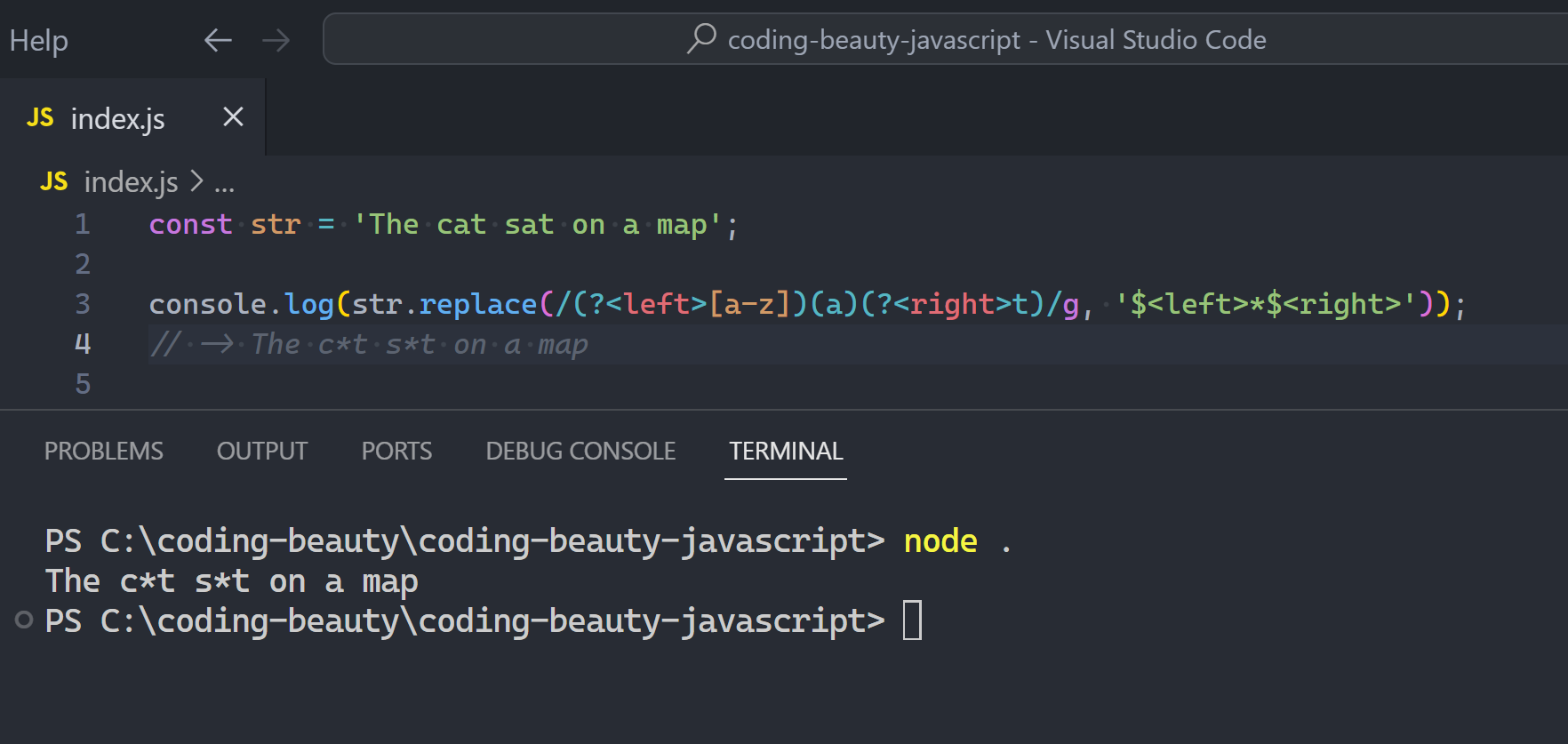
const str = 'The cat sat on a map';

// $1 -> [a-z]
// $2 -> a
// $3 -> t

// () indicates group
str.replace(/([a-z])(a)(t)/g, '$1*$3');
// -> The c*t s*t on a map
So normally the groups go by their relative position in the regex: 1, 2, 3…
But this made understanding and changing those stupidly long regexes much harder.
So ES9 solved this with ?<name> to name capture groups:
JavaScriptCopied!
const str = 'The cat sat on a map';

// left & right
console.log(str.replace(/(?<left>[a-z])(a)(?<right>t)/g, '$<left>*$<right>'));
// -> The c*t s*t on a map
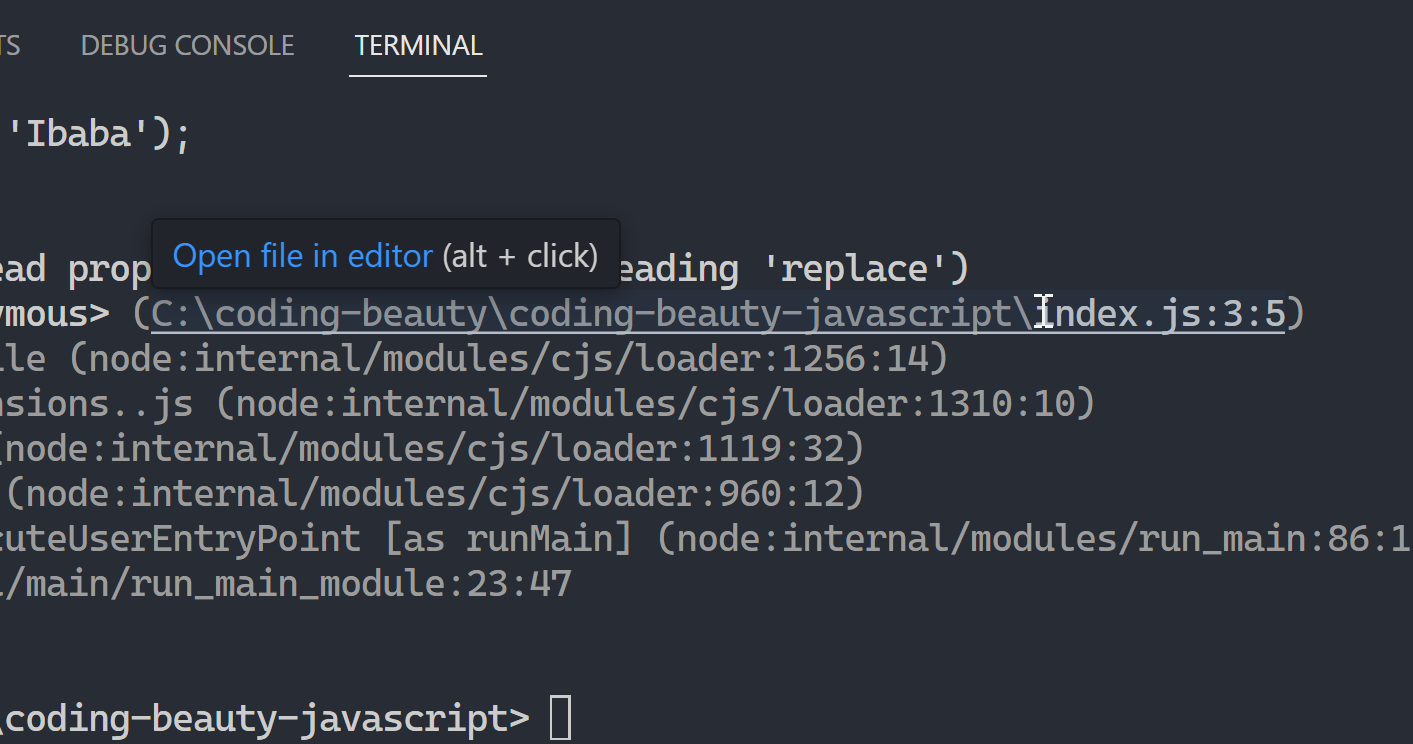
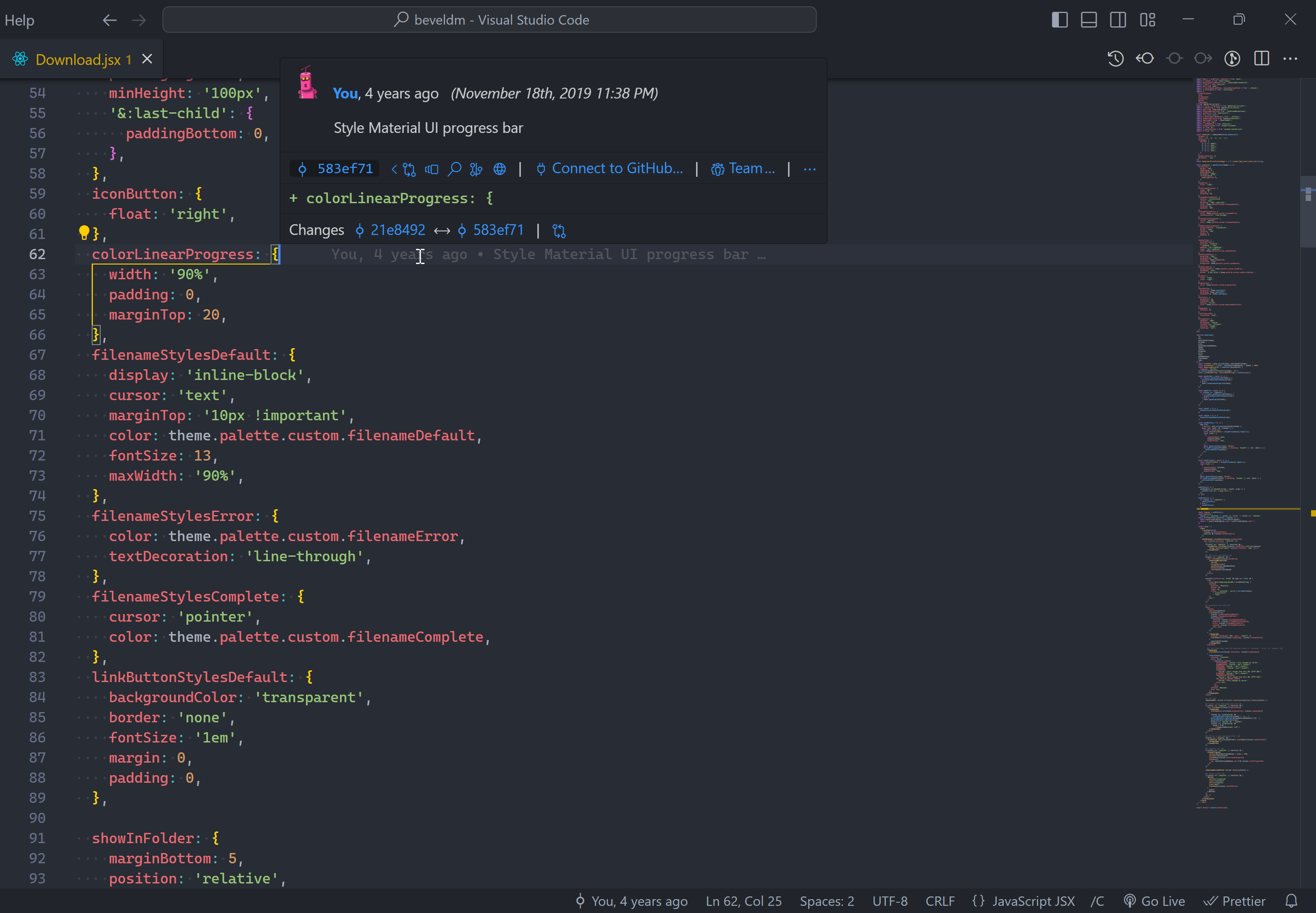
You know how when things break in VS Code, you can quickly Alt + Click to go to the exact point where it happened? 👇
VS Code uses capture groups to make the filenames clickable and make this rapid navigation possible.
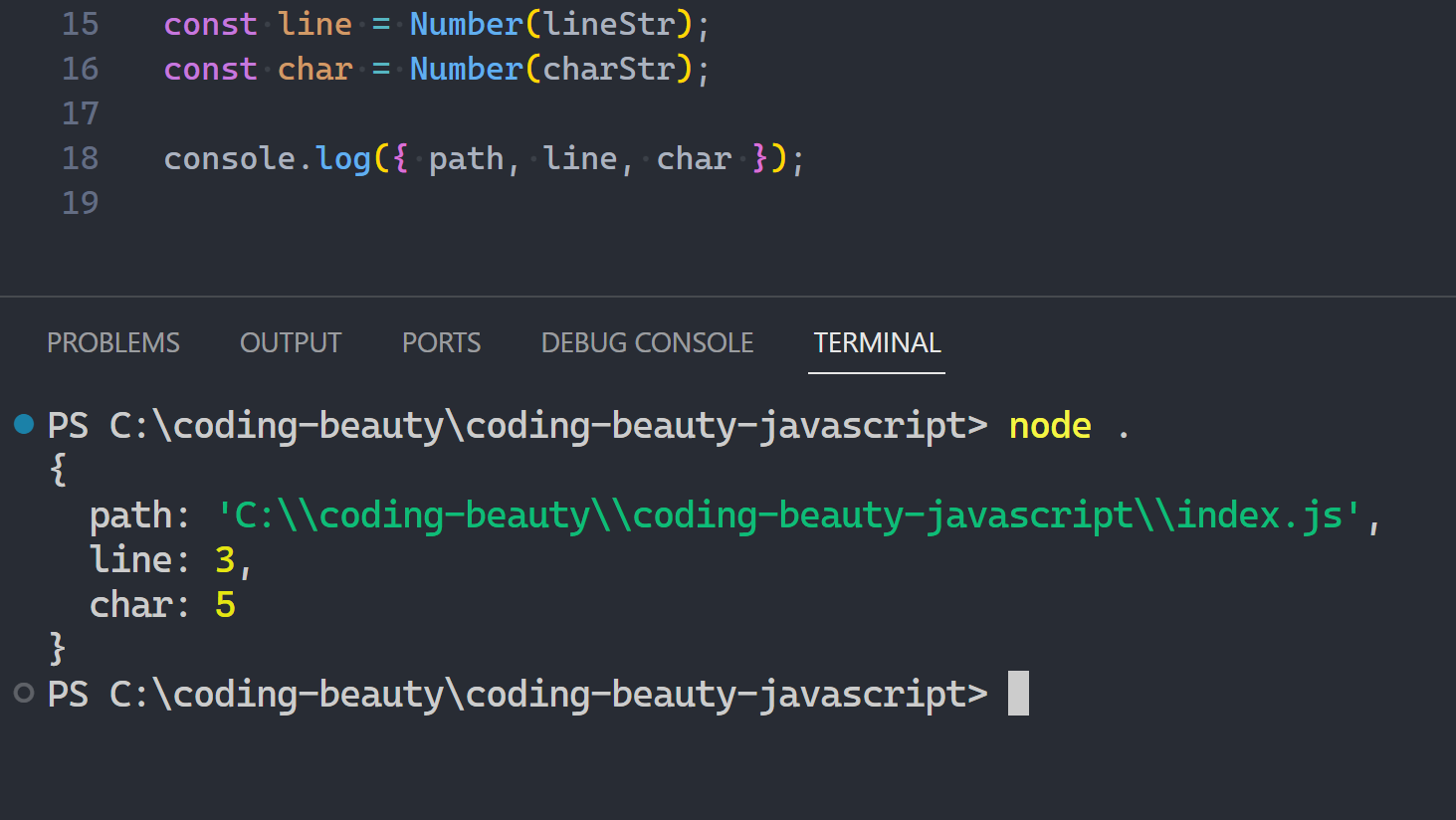
I’d say it’s something like this:
JavaScriptCopied!
// The stupidly long regex
const regex =
  /(?<path>[a-z]:(?:(?:\/|(?:\\?))[\w \.-]+)+):(?<line>\d+):(?<char>\d+)/gi;

// ✅ String.raw!
const filePoint = String.raw`C:\coding-beauty\coding-beauty-javascript\index.js:3:5`;

const extractor =
  /(?<path>[a-z]:(?:(?:\/|(?:\\?))[\w \.-]+)+):(?<line>\d+):(?<char>\d+)/i;

const [path, lineStr, charStr] = filePoint
  .match(regex)[0]
  .match(extractor)
  .slice(1, 4);

const line = Number(lineStr);
const char = Number(charStr);

console.log({ path, line, char });

// Replace all filePoint with <button> tag
// <button onclick="navigateWithButtonFilepointInnerText">{filePoint}</button>
5. Promise.finally
Finally we have Promise.finally 😉.
You know how finally always run some code whether errors are there or not?
JavaScriptCopied!
function startBodyBuilding() {
  if (Math.random() > 0.5) {
    throw new Error("I'm tired😫");
  }
  console.log('Off to the gym 👟💪');
}

try {
  startBodyBuilding();
} catch {
  console.log('Stopped excuse🛑');
} finally {
  console.log("I'm going!🏃");
}
So Promise.finally is just like that but for async tasks:
JavaScriptCopied!
async function startBodyBuilding() {
  await think();
  if (Math.random() > 0.5) {
    throw new Error("I'm tired😫");
  }
  console.log('Off to the gym 👟💪');
}

startBodyBuilding()
  .then(() => {
    console.log('Started ✅');
  })
  .catch(() => {
    console.log('No excuses');
  })
  .finally(() => {
    console.log("I'm going!🏃");
  });
The biggest pro of Promise.finally() is when you’re chaining lots of Promises:
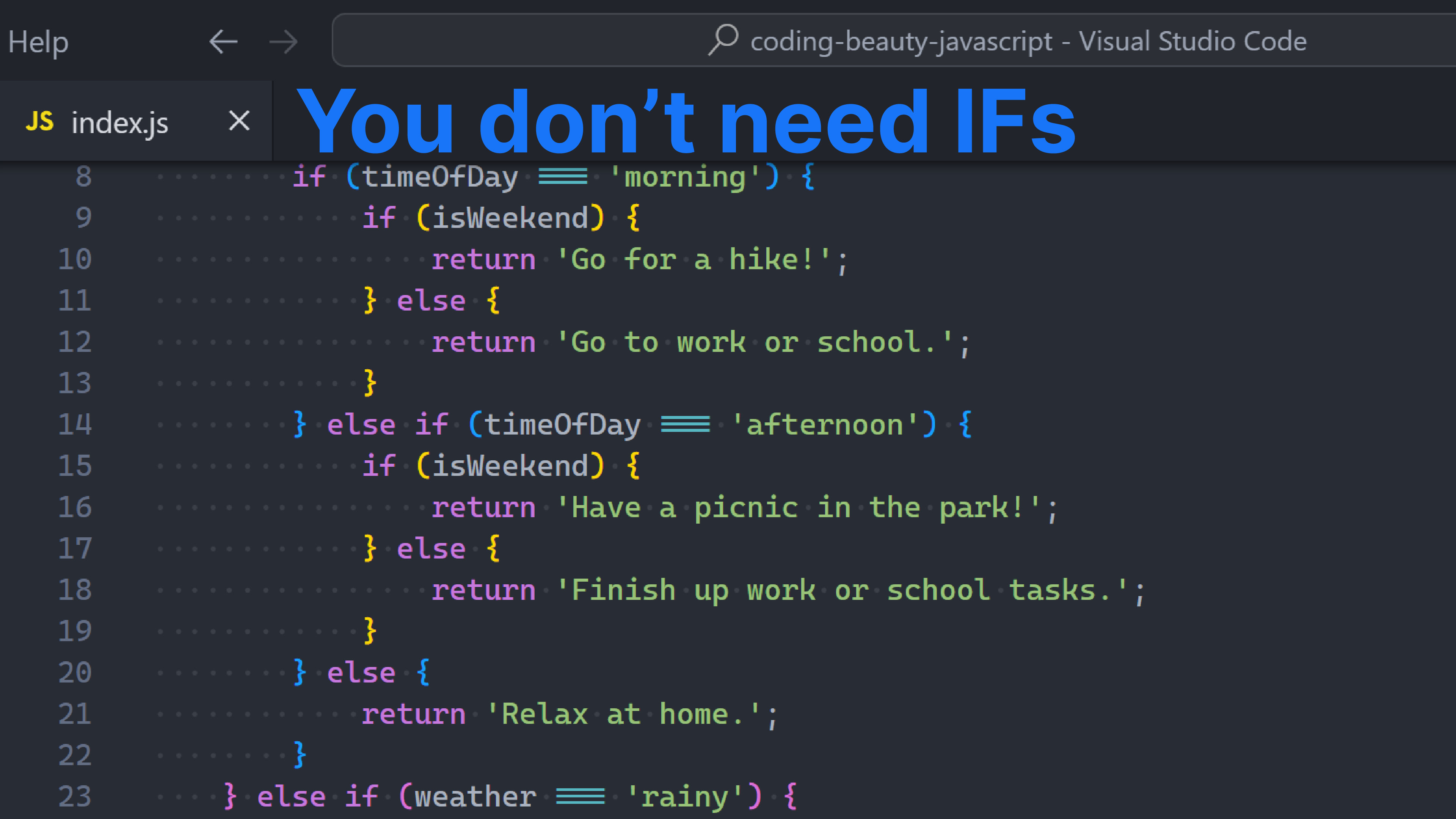
Sure they’re a nice and easy way to create control flow, but you can write many billions of lines of conditional JS code without a SINGLE if statement.
And there are many situations where a different construct shows what you wanna do way more clearly — something we can’t ignore as long we write code for humans. Not to mention lower verbosity and shorter code.
So: let’s look at some powerful if statement upgrades.
1. The AND (&&) operator
The && operator, unique to JavaScript.
We it I quickly go from this:
JavaScriptCopied!
function visitSite(user) {
  if (user.isLoggedIn) {
      console.log(`You are ${user.name}`);
  }

  console.log('Welcome to Coding Beauty.');
}
To this:
JavaScriptCopied!
function visitSite(user) {
  user.isLoggedIn && console.log(`You are ${user.name}`);
  console.log('Welcome to Coding Beauty.');
}
I’ve eradicated the nested and compacted the branching logic into a one-liner.
You want to use this when there’s an if but no matching else; especially when the if block has only one line.
Even if there are multiple lines you can abstract them into a separate function and apply && again. After all the console.log() in our example is an abstraction itself.
So this:
JavaScriptCopied!
function visitSite(user) {
  if (user.isLoggedIn) {
    console.log(`Welcome back, ${user.name}!`);
    console.log(
      `Your last login was on ${user.lastLoginDate}`
    );
    console.log(`Your account type is ${user.accountType}`);
  }

  console.log('Welcome to Coding Beauty.');
}
Transforms to this:
JavaScriptCopied!
function visitSite(user) {
  user.loggedIn && handleUser(user);

  console.log('Welcome to Coding Beauty.');
}

function handleUser(user) {
  console.log(`Welcome back, ${user.name}!`);
  console.log(
    `Your last login was on ${user.lastLoginDate}`
  );
  console.log(`Your account type is ${user.accountType}`);
}
2. Ternary operator
Ternary operators let us compact if-else statements into a one-liner.
They’re great if-else replacements when all conditional cases only involve assigning a value to the same variable.
Here’s an example:
JavaScriptCopied!
let word;
if (num === 7) {
  word = 'seven';
} else {
  word = 'unknown';
}
Even though the DRY principle isn’t a hard and fast rule, for this instance things will be much cleaner if we used ternaries to avoid writing the variable assignment twice:
JavaScriptCopied!
const word = num === 7 ? 'seven' : 'unknown';
Now we can even use const to keep things immutable and pure.
Nested ternaries
And when we have 3 or more branches in the if-else statement or we nest ifs, the cleaner ternary replacement will contain inner ternaries.
const getNumWord = (num) =>
  num === 1
    ? 'one'
    : num === 2
    ? 'two'
    : num === 3
    ? 'three'
    : num === 4
    ? 'four'
    : 'unkwown';
Some people do cry about nested ternaries though, arguing that they’re complicated and cryptic. But I think that’s more of a personal preference, or maybe poor formatting.
And it’s formatting, we have tools like Prettier that have been doing this job (and only this job) for centuries.
Ever had code this badly formatted?
As long as there’s sufficient indentation you should have no problems with readability. If the branching gets much more complex than above you probably want to move some of the lower-level logic into preceding variables or tiny functions.
The current style uses a clever combination of flat and tree-like nesting; adding further indentation for nested ternaries in the truthy branch, but keeping things flat for those in the in the falsy branch.
JavaScriptCopied!
const animalName = pet.canSqueak()
  ? 'mouse'
  : pet.canBark()
  ? pet.isScary()
    ? 'wolf' // Only nests this because it's in the truthy section
    : 'dog'
  : pet.canMeow()
  ? 'cat'
  : pet.canSqueak() // Flat because it's in the falsy section
  ? 'mouse'
  : 'probably a bunny';
But very soon Prettier will format the above like this:
The main change is the ?‘s are all now at the ending of the same line of its ending, instead of the next one.
3. Switch statement
You will find this in C-style languages like Java, C#, and Dart — and it looks exactly the same in those languages with a few semantic differences.
If ternaries are best for generating output for one variable, then switch statements are best for processing input *from* one variable:
JavaScriptCopied!
function processUserAction(action) {
  switch (action) {
    case 'play': // if (action === 'play')
      console.log('Playing the game...');
      startGame({ mode: 'multiplayer' });
      break;
    case 'pause': // else if (action === 'pause')
      console.log('Pausing the game...');
      pauseGame();
      break;
    case 'stop':
      console.log('Stopping the game...');
      endGame();
      goToMainMenu();
      break;
    case 'cheat':
      console.log('Activating cheat mode...');
      enableCheatMode();
      break;
    default: // else
      console.log('Invalid action!');
      break;
  }
}
The unique power of switch statements comes from being able to omit the break at the end of each case and let execution “fallthrough” to the next case:
JavaScriptCopied!
// Generate a random number between 1 and 6 to simulate rolling a dice
const diceRoll = Math.floor(Math.random() * 6) + 1;

console.log(`You rolled a ${diceRoll}!`);

switch (diceRoll) {
  case 1:
    console.log('Oops, you rolled a one!');
    console.log('You lose a turn.');
    break;
  case 2:
    console.log(
      'Two heads are better than one... sometimes'
    );
  case 4:
  case 6:
    // else if (diceRoll === 2 || diceRoll === 4 || diceRoll === 6)
    console.log('Nice roll!');
    console.log('You move forward two spaces.');
    break;
  // ...
  default:
    console.log('Invalid dice roll.');
}
Most other languages with switch-case allow this, with the notable exception of C#.
4. Key-value object
Key-value objects let us declaratively map inputs to outputs.
JavaScriptCopied!
const weatherActivities = {
  sunny: 'go to the beach',
  rainy: 'watch a movie at home',
  cloudy: 'take a walk in the park',
  snowy: 'build a snowman',
};

const weather = 'sunny';

console.log(`Okay, so right now it's ${weather}.`);
console.log(`Why don't you ${weatherActivities[weather]}?`);
I found this invaluable when creating screens in React Native apps – each with its own loading, error and success states. Here’s a snippet of a screen in one of our apps:
So if statements aren’t bad at all and are great for writing conditional logic in an easily understandable way. But it’s important to consider alternative approaches to make code shorter, clearer and even more expressive. It’s not about eliminating if statements entirely, but rather adopting effective techniques that make our code more efficient and elegant.
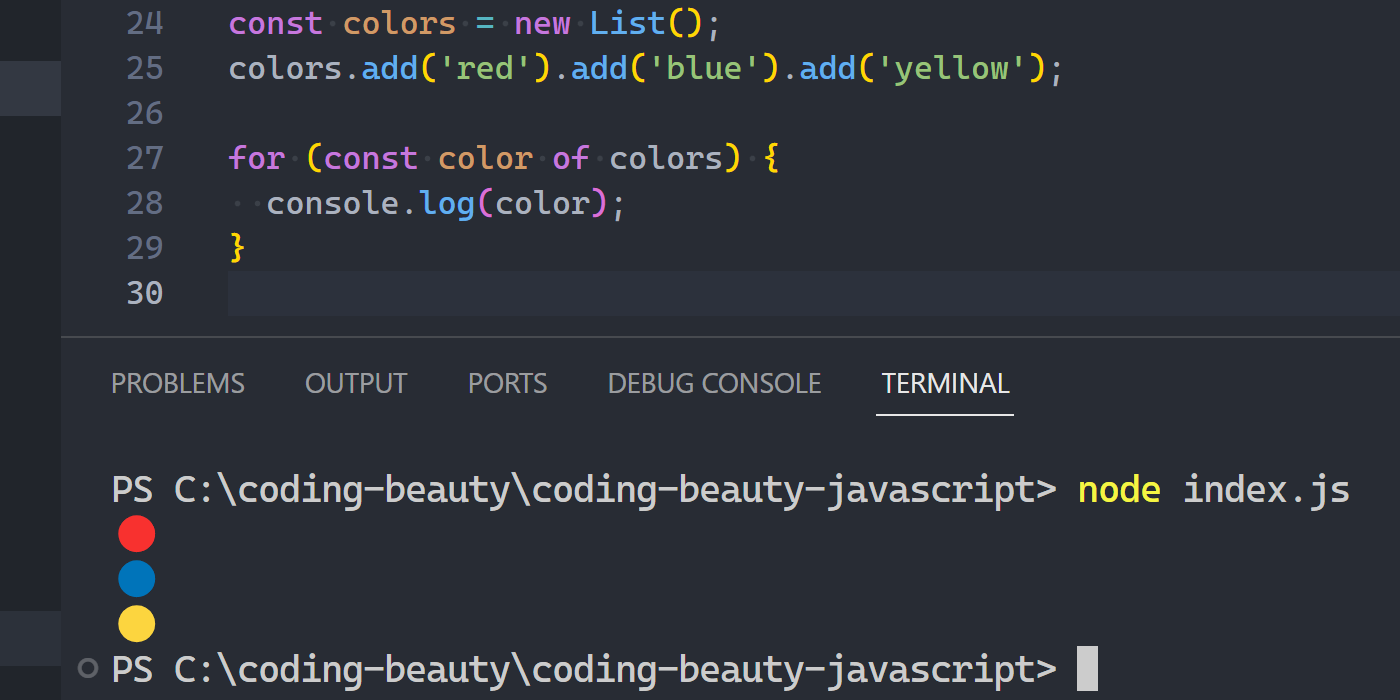
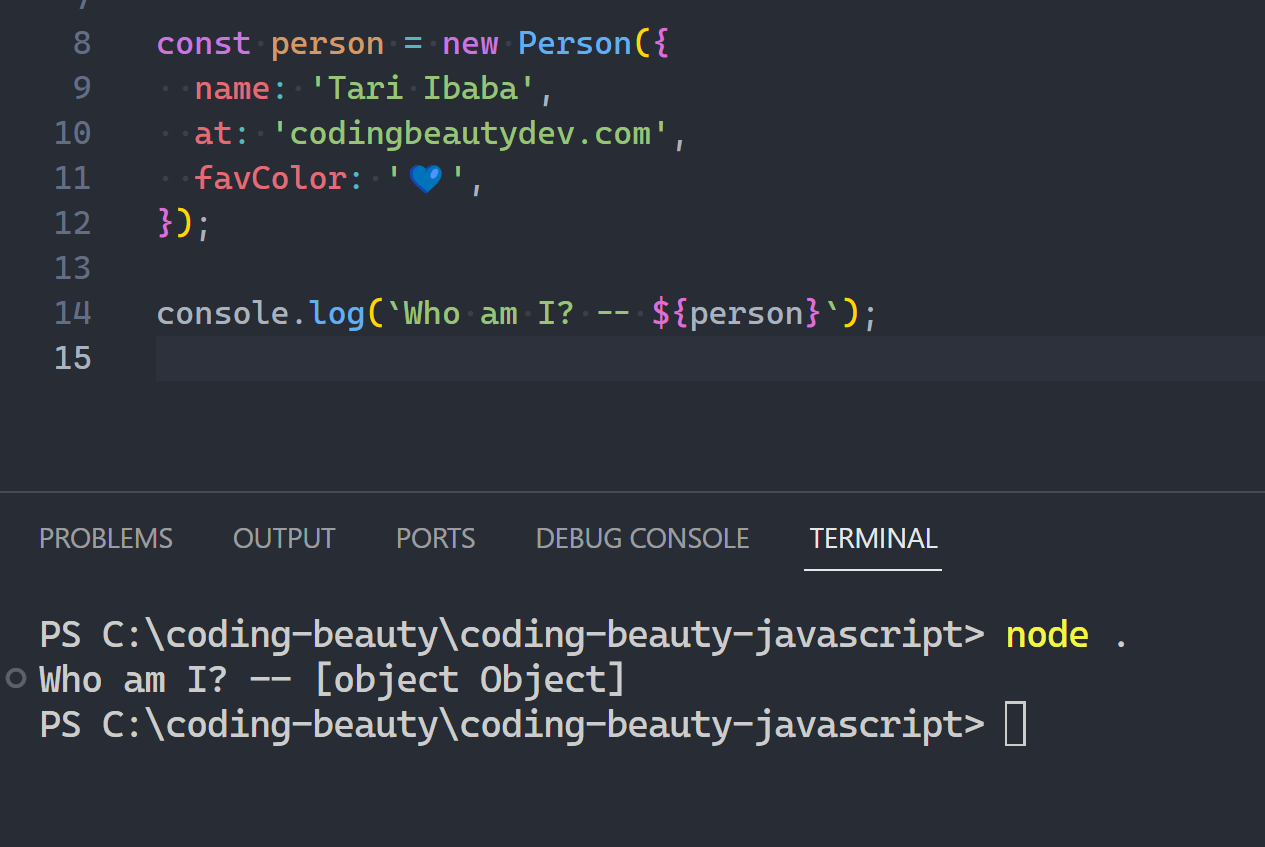
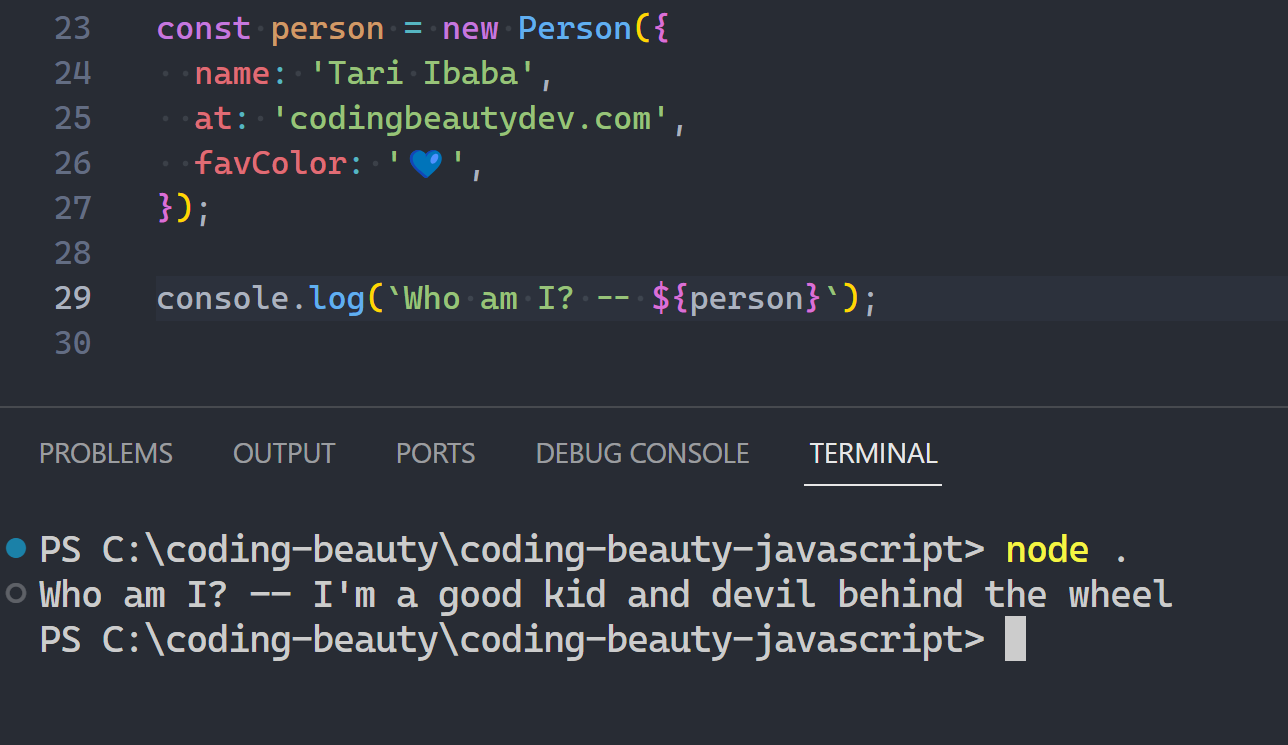
What if we don’t want to completely override it, but instead extend it in an intuitive way?
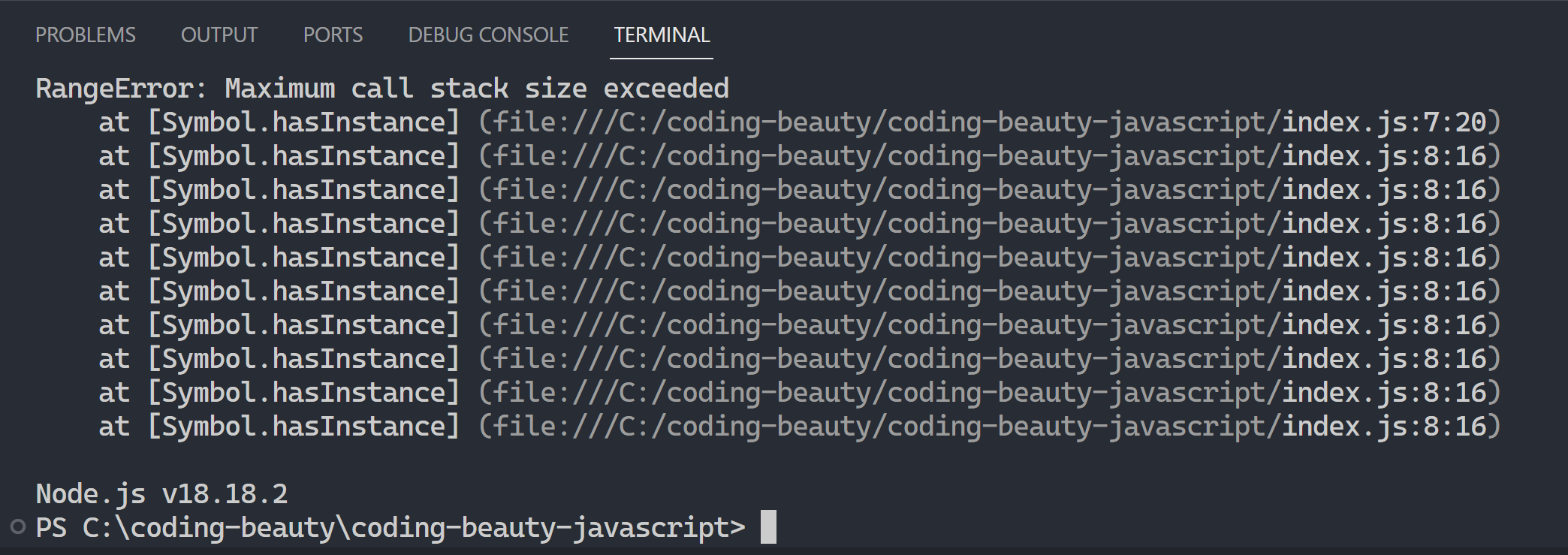
We can’t use instanceof inside the symbol because that’ll quickly lead to an infinite recursion:
Instead we compare the special constructor property of the object to our own:
JavaScriptCopied!
class Fruit {
  constructor(name) {
    this.name = name;
  }

  [Symbol.hasInstance](obj) {
    const fruits = ['🍍', '🍌', '🍉', '🍇'];
    // this == this.constructor in a static method
    return obj.constructor === this || fruits.includes(obj);
  }
}

const fruit = new Fruit('apple');
If you’re just hearing of .constructor, this should explain everything:
From looping to splitting to searching, well-known symbols let us redefine our core functionalities to behave in unique and delightful ways, pushing the boundaries of what’s possibly in JavaScript.
Lottie takes the magic from Adobe After Effects and brings it straight to your mobile and web apps.
Imagine the experience needed to create this 👇 Then imagine recreating it with raw CSS.
So no more hand-coding – Lottie uses a special plugin to turn those After Effects animations into a lightweight JSON format that works flawlessly on any device.
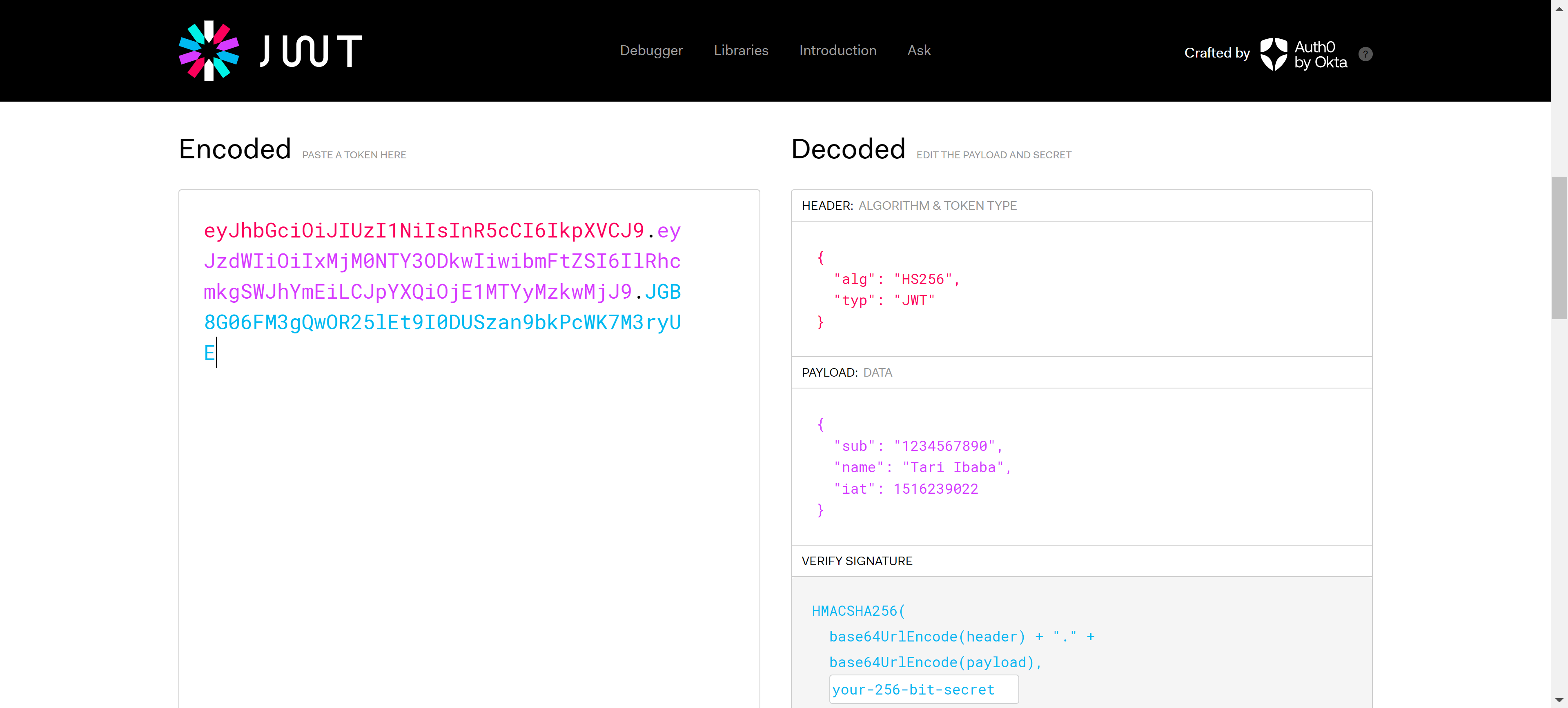
I use this often when having nasty bugs with JSON web token from Firebase Auth or some stuff.
You just paste your token on the left and you instantly see the decoded value on the right.
And using this got me confused at first; I thought JWT was like an encryption where only the receiver could know what was there with the secret?
But no; it turned out JWT is for verifying the source of the message, not hiding information. Like in crypto wallets and transactions private and public keys.
Typical use case for nested ifs: you want to perform all sorts of checks on some data to make sure it’s valid before finally doing something useful with it.
Don’t do this! 👇
JavaScriptCopied!
function sendMoney(account, amount) {
  if (account.balance > amount) {
    if (amount > 0) {
      if (account.sender === 'user-token') {
        account.balance -= amount;
        console.log('Transfer completed');
      } else {
        console.log('Forbidden user');
      }
    } else {
      console.log('Invalid transfer amount');
    }
  } else {
    console.log('Insufficient funds');
  }
}
There’s a better way:
JavaScriptCopied!
function sendMoney(account, amount) {
  if (account.balance < amount) {
    console.log('Insufficient funds');
    return;
  }

  if (amount <= 0) {
    console.log('Invalid transfer amount');
    return;
  }

  if (account.sender !== 'user-token') {
    console.log('Forbidden user');
    return;
  }

  account.balance -= amount;
  console.log('Transfer completed');
}
See how much cleaner it is? Instead of nesting ifs, we have multiple if statements that do a check and return immediately if the condition wasn’t met. In this pattern, we can call each of the if statements a guardclause.
If you do a lot of Node.js, you’ve probably seen this flow in Express middleware:
Because the lines must be printed, we print them in the guard clause before returning. And then, we print it in all(!) the following guard clauses. And once again, in the main function body if all the guard clauses were passed.
So what can we do about this? How can we use guard clauses and still stick to the DRY principle?
Well, we split the logic into multiple functions:
JavaScriptCopied!
function func(cond1, cond2) {
  checkCond1(cond1, cond2);
  console.log('after cond1 check');
}

function checkCond1(cond1, cond2) {
  if (!cond1) {
    console.log('failed condition 1');
    return;
  }
  checkCond2(cond2);
  console.log('after cond2 check');
}

function checkCond2(cond2) {
  if (!cond2) {
    console.log('failed condition 2');
    return;
  }
  console.log('PASSED!');
  console.log('taking success action...');
}
Let’s apply this to the Express middleware we saw earlier:
In a way, we’ve replaced the if/else statements with a chain of responsibility pattern. Of course, this might be an overkill for simple logic like a basic Express request middleware, but the advantage here is that it delegates each additional check to a separate function, separating responsibilities and preventing excess nesting.
Key takeaways
Using nested ifs in code often leads to complex and hard-to-maintain code; Instead, we can use guard clauses to make our code more readable and linear.
We can apply guard clauses to different scenarios and split them into multiple functions to avoid repetition and split responsibilities. By adopting this pattern, we end up writing cleaner and more maintainable code.
JavaScript has come a long way in the past 10 years with brand new feature upgrades in each one.
Still remember when we created classes like this?
JavaScriptCopied!
function Car(make, model) {
  this.make = make;
  this.model = model;
}

// And had to join strings like this
Car.prototype.drive = function() {
  console.log("Vroom! This " + this.make +
    " " + this.model + " is driving!");
};
Yeah, a lot has changed!
Let’s take a look at the 5 most significant features that arrived in ES14 (2023); and see the ones you missed.
1. toSorted()
Sweet syntactic sugar.
ES14’s toSorted() method made it easier to sort an array and return a copy without mutation.
They were other features but ES14 was all about easier functional programming and built-in immutability.
With the rise of React we’ve seen declarative JavaScript explode in popularity; it’s only natural that more of them come baked into the language as sweet syntactic sugar.
With the immutable swap worked out, our game plan is pretty straightforward:
For each item i in 0..n, immutably select an index in 0..i to swap with i for each i in 0..n
Loop through the array again and immutably swap each element with its assigned swapping pair.
For #1 we can easily use map() to create an array with the new random positions for every index:
JavaScriptCopied!
const getShuffledPosition = (arr) => {
  return [...Array(arr.length)].map((_, i) =>
    Math.floor(Math.random() * (i + 1))
  );
};

/* [0, 2, 0, 1]
   swap item at:
 1. index 0 with index 0
 2. index 1 with index 2
 3. index 2 with index 0
 4. index 3 with index 1
*/
getShuffledPosition(['🔵', '🔴', '🟡', '🟢']);

getShuffledPosition(['🔵', '🔴', '🟡', '🟢']); // [0, 1, 1, 3]

getShuffledPosition(['🔵', '🔴', '🟡', '🟢']); // [0, 0, 2, 1]
What about #2?
We’re outputting an array, but we can’t use map again because the transformation at each step depends on the full array and not just the current element.
Just like you can always write a recursive algorithm as a loop, you can write every imperative iteration as a brilliant single-statement chain of array methods.
With TODO highlight I can quickly add TODO comments anywhere in my codebase and keep track of all them effortlessly.
You quickly add a TODO with comment prefixed with TODO:
Then view in the Output window after running the TODO-Highlight: List highlighted annotations command:
I find it a great alternative to storing them in a to-do list app, especially when they’re something very low-level and contextual, for example: “TODO: Use 2 map()’s instead of reduce()”.
Powerful JS library for creating and animating colorful annotations on a web page with a hand-drawn look and feel.
When I see this I see a human touch in the deliberate imperfections; it stands out.
So there’s underline, box, circle, highlight, strike-through… many many annotation styles to choose from with duration and color customization options.
This is a super small and simple library for building user interfaces.
It uses plain JavaScript and the built-in DOM functionality, just like React. But unlike React it doesn’t need any special syntax for defining UI elements.
JavaScriptCopied!
// Reusable components can be just pure vanilla JavaScript functions.
// Here we capitalize the first letter to follow React conventions.
const Hello = () => div(
  p("👋Hello"),
  ul(
    li("🗺️World"),
    li(a({href: "https://api2.codingbeautydev.com/"}, "💻Coding Beauty")),
  ),
)

van.add(document.body, Hello())
// Alternatively, you can write:
// document.body.appendChild(Hello())
This drag-and-drop builder makes crafting beautiful, responsive emails a breeze. No more coding headaches, just watch your emails light up inboxes across all devices.
Dive into a treasure trove of over 30,000 color names, meticulously gathered from across the web and lovingly enriched by thousands of passionate users.
Find the perfect shade to ignite your creativity and bring your designs to life